



In today’s digital world, having the right tools can make a significant difference in your productivity and comfort. One such essential accessory is the wireless mouse. Whether you’re a gamer, a professional, or a casual user, understanding the features and benefits can help you make an informed decision. This guide will walk you through the process of purchasing a wireless mouse, providing detailed reviews, pros and cons, and key buying criteria.
Why Choose a Wireless Mouse?
Wireless mice have gained popularity due to the freedom they offer. Without cords cluttering your workspace, wireless mice provide:
-
- Enhanced Mobility: Move freely without being tethered.
-
- Cleaner Setup: A tidy workspace without cables.
-
- Versatility: Use on various surfaces without the need for a mouse pad.
Key Features to Consider
Before diving into specific product reviews, let’s understand the important features to consider when purchasing a wireless mouse:
1. Ergonomics
When choosing a mouse, comfort is paramount. Look for:
-
- Shape: Curved designs fit your hand better.
-
- Grip: Look for rubberized surfaces for better control.
-
- Weight: Heavier mice give more stability, while lighter ones are easier to maneuver.
2. Connectivity
Wireless mice primarily use two types of connectivity:
-
- Bluetooth: This technology allows you to connect multiple devices easily but may have slight latency.
-
- USB Receiver: Often comes with a small dongle that connects to your computer, providing a more stable connection.
3. Battery Life
A good wireless mouse should have a battery that lasts. Look for options that offer:
-
- Rechargeable Batteries: More convenient as you can recharge instead of replacing.
-
- Long Standby Time: Some models can last several months on a single charge.
4. DPI Settings
DPI (dots per inch) refers to the sensitivity of the mouse. Higher DPI means more sensitivity. A mouse with adjustable DPI settings allows you to switch between precision tasks, like graphic design or gaming.
5. Additional Features
Consider any extra features that may enhance your usage:
-
- Programmable Buttons: Customize buttons for specific functions.
-
- LED Lighting: Adds aesthetic appeal (especially for gamers).
-
- Compatibility: Ensure the mouse works with your operating system.
Top Wireless Mouse Reviews
Here are some popular options that excel in various categories:
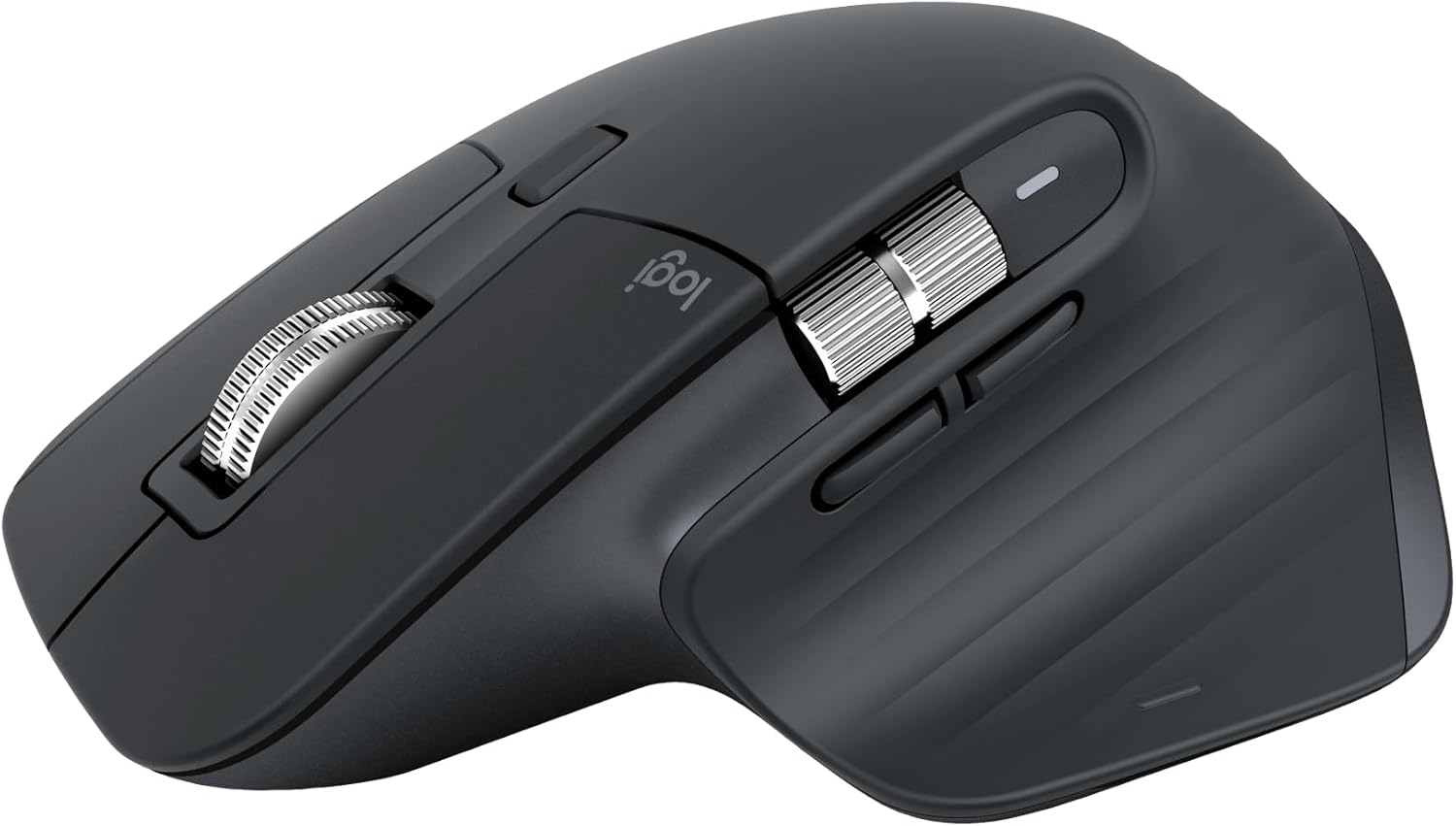
Logitech MX Master 3
Product Presentation
The Logitech MX Master 3 is a premium mouse aimed at professionals. Its ergonomic design and advanced features make it a top choice.
Pros:
-
- Excellent battery life (up to 70 days on a full charge).
-
- Ergonomic shape fits comfortably in your hand.
-
- Easy-switch technology allows connecting to multiple devices.
Cons:
-
- Higher price point may not suit budget-conscious users.
-
- Size might be too large for small hands.
Razer Basilisk X Hyperspeed
Product Presentation
For gamers, the Razer Basilisk X offers performance without compromise.
Pros:
-
- Adjustable DPI up to 16,000 for extreme precision.
-
- Dual connectivity options (Bluetooth and USB).
-
- Long battery life (up to 450 hours on Bluetooth).
Cons:
-
- May be overwhelming for casual users.
-
- Slightly heavier than other options.
Logitech M510
Product Presentation
A great budget option, the Logitech M510 offers good performance for everyday tasks.
Pros:
-
- Affordable price point.
-
- Comfortable grip for extended use.
-
- Programmable buttons for added functionality.
Cons:
-
- Limited battery life compared to premium models.
-
- Basic features may not satisfy gaming needs.
Criteria for Making a Purchase Decision
When deciding on which wireless mouse to purchase, keep the following criteria in mind:
-
- Usage Purpose: Identify whether you need a mouse for gaming, professional work, or casual use.
-
- Budget: Set a price range that fits your financial capability while considering long-term value.
-
- Essential Features: Determine which features are non-negotiable for your usage.
-
- Comfort Level: Prioritize ergonomics, especially if you spend extended hours on your computer.
Conclusion: Make an Informed Decision
Purchasing a wireless mouse might seem daunting, but understanding the essential features and available options will simplify the process. Whether you prioritize ergonomics, battery life, or advanced gaming features, there’s a wireless mouse out there that fits your needs.
Ready to improve your computing experience? Explore the options we discussed and make your purchase today to enjoy enhanced mobility and efficiency!